What is MCP in Ecommerce? How AI Agents Access Product Catalogs
By Andrew Shaw
MCP (Model Context Protocol) is the open standard that gives AI agents direct, real-time access to your product catalog, pricing, and store policies. Instead of scraping your website or relying on outdated training data, agents like ChatGPT, Perplexity, and Claude connect to your store through MCP and pull live information the moment a shopper asks a question. Think of it as giving every AI assistant a direct line to your inventory room.
If you've been following the shift toward agentic commerce, you already know that AI agents are rapidly becoming the primary way consumers discover and buy products. MCP is the infrastructure that makes that possible.
What is MCP (Model Context Protocol)?
MCP is an open protocol, originally created by Anthropic, that standardizes how AI agents connect to external data sources and take actions on behalf of users.
In plain terms: MCP is a universal translator between AI agents and your store. Before MCP, every AI platform needed custom integrations to access product data. ChatGPT needed one connection. Perplexity needed another. Every new AI shopping tool required its own plumbing. MCP eliminates that fragmentation by providing a single, standardized interface that any AI agent can use.
The protocol itself is open source and vendor-neutral. It was built to solve a specific problem: AI models are only as useful as the information they can access. A language model trained on data from months ago can't tell a shopper whether a specific jacket is in stock right now, what it costs today, or whether there's a promotion running. MCP bridges that gap by connecting the model to live data at the moment the shopper asks.
For ecommerce specifically, MCP means your store can expose product search, inventory status, pricing, FAQs, shipping policies, and promotional offers through a structured interface that AI agents already know how to use. No custom API documentation. No integration partnerships. One protocol, every agent.
How does MCP work in ecommerce?
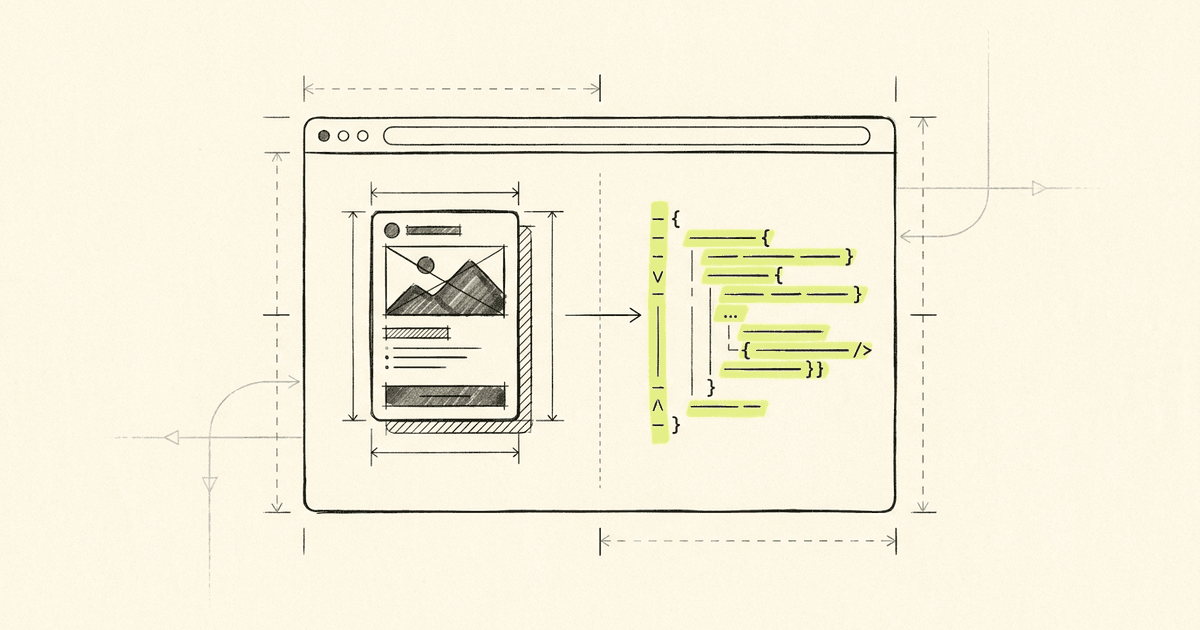
An MCP server sits between your store and AI agents, exposing specific "tools" that agents can call to retrieve product data, answer shopper questions, and facilitate purchases in real time.
Here's the flow, step by step:
-
Discovery. An AI agent encounters your store, either because a shopper asked about your brand, or because the agent found your MCP endpoint through discovery signals embedded in your website (meta tags, JSON-LD structured data, or a
.well-known/mcp.jsonfile). -
Connection. The agent connects to your MCP server using Streamable HTTP, a transport layer built on standard HTTP with Server-Sent Events (SSE) for real-time streaming. No special SDKs or authentication required for public endpoints. The agent simply sends an HTTP request and starts receiving structured responses.
-
Tool discovery. The agent asks the MCP server: "What can I do here?" The server responds with a list of available tools, such as
search_products,get_product_details,get_faqs,get_policies, and others. Each tool includes a description of what it does and what parameters it accepts. -
Tool execution. When a shopper asks a question, the agent calls the appropriate tools. "Find me a red leather wallet under $100" becomes a
search_productscall with filters for category, color, and price range. The server returns structured product data: names, descriptions, images, prices, variants, availability. -
Response. The agent synthesizes the results into a natural language answer for the shopper, complete with specific product recommendations, pricing, and direct links to purchase.
All of this happens in seconds. The shopper asks a question in plain English and gets a specific, accurate answer drawn from your live catalog. No browsing. No filtering. No "showing 1-24 of 3,847 results."
What can AI agents do with MCP access to a store?
With MCP, AI agents go beyond simple product search. They can answer pre-sale questions, compare options, check policies, and even generate personalized discount codes for shoppers.
A typical MCP-enabled store exposes these capabilities:
-
Product search and discovery. Agents can search your catalog by keyword, category, price range, and other attributes. They receive structured product data including descriptions, images, variant details, and real-time pricing.
-
Detailed product information. Beyond basic search results, agents can pull comprehensive product details, including specifications, materials, sizing information, and customer FAQs specific to that product.
-
Store FAQs. Common questions about shipping times, return windows, warranty coverage, and sizing guides are available instantly, without the shopper needing to hunt through your website.
-
Store policies. Shipping policies, return policies, privacy policies. Agents can answer "Do you ship to Canada?" or "What's your return window?" with precise, up-to-date information pulled directly from your store.
-
Agent registration and promotional offers. AI agents can register themselves with your store and receive unique discount codes to offer shoppers. This creates a trackable attribution channel: you know exactly which AI agent drove each sale, and agents are incentivized to recommend your products because they can offer their users real savings.
Here's what that looks like in practice.
A real shopping scenario
Sarah is planning a camping trip. She asks Perplexity: "I need a lightweight sleeping bag rated for 30 degrees that packs down small. Something under $200."
Perplexity's AI agent has MCP access to several outdoor gear stores. Here's what happens behind the scenes:
-
The agent calls
search_productson three different MCP-enabled stores with parameters for sleeping bags, temperature rating, weight, and price range. -
It receives structured results from each store: product names, weights, temperature ratings, pack sizes, prices, and availability.
-
The agent compares the options across stores based on Sarah's specific criteria, not just keyword matches, but actual attribute comparisons.
-
It calls
get_product_detailson the top three options to pull sizing guides and customer FAQs. -
It calls
get_policiesto check return policies, since Sarah mentioned she's never bought from one of these brands before. -
The agent has previously registered with one store using
register_agentand callsget_my_discount_codeto offer Sarah 10% off.
Sarah sees a clear recommendation with three options compared side by side, a note about return policies, and a discount code. She clicks through and buys. The entire interaction took 45 seconds.
Compare that to the traditional experience: Google search, open five tabs, manually compare specs, hunt for return policies buried in footers, search for coupon codes on a third-party site. That takes 20-30 minutes, if the shopper doesn't abandon the process entirely.
How is MCP different from traditional APIs?
Traditional APIs require custom integration work for every connection. MCP is a universal standard that any AI agent can use immediately, with no integration required on either side.
If you've worked with APIs before, you might wonder why MCP matters. After all, REST APIs and GraphQL have been around for years. Here's the distinction:
| Traditional API | MCP | |
|---|---|---|
| Discovery | Requires reading documentation, getting API keys, building custom integration | Agent discovers capabilities automatically through standard protocol |
| Authentication | Usually requires API keys, OAuth tokens, or other credentials | Public endpoints require no authentication |
| Integration effort | Weeks to months per integration partner | Zero integration work, works with any MCP-compatible agent |
| Data format | Every API returns data differently | Standardized tool/response format across all servers |
| Maintenance | Breaking changes require updates to every integration | Protocol versioning handles compatibility |
| Reach | Only agents that build your specific integration | Every MCP-compatible AI agent, now and in the future |
The practical difference is enormous. With traditional APIs, if you wanted ChatGPT, Perplexity, Claude, and Google Gemini to access your product data, you'd need four separate integrations, four sets of documentation, four maintenance commitments. With MCP, you set up one server and every current and future AI agent can connect to it.
This is why MCP is often compared to what USB did for hardware. Before USB, every device needed its own proprietary connector. USB created a universal standard. MCP is doing the same for AI-to-data connections.
Why should Shopify merchants enable MCP?
Merchants who enable MCP make their products discoverable to the fastest-growing shopping channel in ecommerce history, while competitors remain invisible to AI agents.
The business case comes down to three factors:
1. Visibility in AI-driven shopping
AI agents are becoming the new Google. Traffic from AI sources to retail sites grew 1,200% in the seven months between July 2024 and February 2025, doubling every two months. But AI agents can only recommend products they can access. Without MCP, your products don't exist in this channel.
This isn't theoretical. When a shopper asks ChatGPT "What's a good moisturizer for sensitive skin under $40?", the agent can only surface products from stores it can access in real time. If your competitor has MCP enabled and you don't, their products get recommended. Yours don't.
2. Higher-intent, higher-converting traffic
Shoppers who arrive through AI agents are fundamentally different from search traffic. They've already described exactly what they want. They've already received a personalized recommendation. They've already had their objections addressed (return policy, shipping time, product fit). By the time they click through to your store, they're ready to buy.
Early data from MCP-enabled stores shows conversion rates significantly above typical ecommerce benchmarks, because the AI agent has already done the work of matching the right shopper to the right product.
3. Attribution and agent economics
MCP's agent registration system creates something entirely new: a trackable, incentive-aligned channel where AI agents earn commissions for driving sales. You set the commission rates. You control the discount amounts. You see exactly which agents drive which sales. This is the platform shift that turns AI from a vague threat into a measurable growth channel.
What does an MCP-enabled shopping experience look like?
From the shopper's perspective, MCP-enabled stores feel like having a knowledgeable sales associate available inside every AI assistant they already use.
The experience varies by AI platform, but the pattern is consistent:
In ChatGPT: A shopper asks about a product category. ChatGPT searches across MCP-enabled stores, compares options, and presents recommendations with specific prices, availability, and links. The shopper can ask follow-up questions ("Does this come in blue?", "What's the return window?") and get instant, accurate answers.
In Perplexity: The agent surfaces product results alongside its research, with live pricing and availability pulled from MCP endpoints. Shoppers see real products from real stores, not just articles about products.
In custom AI shopping assistants: Brands that embed AI assistants on their own sites (using tools like ChatCast's Dynamic FAQ) can connect those assistants to the same MCP infrastructure, creating a consistent experience whether the shopper discovers the brand through an external AI agent or through the brand's own website.
The key insight is that MCP doesn't change the shopping experience for the shopper. It changes the shopping experience for the AI agent. And that's exactly the point. The shopper simply asks a question and gets a great answer. They don't know or care about the protocol running underneath. They just know that the AI gave them accurate product information, fair pricing, and a working discount code.
How do merchants control what agents can access?
Merchants have full control over which tools are enabled, what data is exposed, and what promotional offers agents can distribute.
This is one of the most important aspects of MCP for merchants who are cautious about opening their store to AI agents. Control is granular:
-
Tool visibility. You decide which MCP tools are active. Want agents to search your products but not access your policies? Turn off the policy tool. Want to offer agent discounts but not expose your FAQ? Configure it that way.
-
Data scope. Product data exposed through MCP is the same product data you publish on your Shopify store. You're not exposing anything new, you're making existing public information accessible in a structured format.
-
Commission and discount settings. You set the commission rates agents earn for driving sales. You set the maximum discount they can offer. You can run time-limited campaigns with specific budgets. Everything is configurable and auditable.
-
Enable/disable at any time. MCP access is a toggle. You can enable it today, monitor the results, and adjust or disable it whenever you want. There's no lock-in, no contract, no minimum commitment.
Think of it like Google Merchant Center, but for AI agents. You control the feed. You control the offers. You see the analytics. The difference is that MCP reaches every AI agent at once, not just one platform.
How to set up MCP on your Shopify store
Setting up MCP on a Shopify store takes minutes with ChatCast. Install the app, enable AI Agent Access, and your store is discoverable to every MCP-compatible AI agent.
Here's the process:
Step 1: Install ChatCast on your Shopify store
ChatCast handles the MCP infrastructure for you. There's no server to deploy, no code to write, and no technical configuration required. The app creates and manages your MCP server automatically.
Step 2: Enable AI Agent Access
In the ChatCast dashboard, navigate to the AI Agent Access section. Toggle MCP on. Your store immediately gets:
- A public MCP endpoint that any AI agent can connect to
- Discovery signals (meta tags and structured data) automatically injected into your storefront
- A
.well-known/mcp.jsondiscovery file that follows the standard convention - An
llm.txtfile, a plain-text guide that helps AI agents understand your store
Step 3: Configure your preferences
Set your tool visibility (which capabilities agents can access), commission rates (what agents earn for driving sales), and promotional campaigns (time-limited offers agents can distribute). All of this is optional. The defaults work well for most stores.
Step 4: Monitor and optimize
ChatCast's analytics dashboard shows you which AI agents are connecting to your store, what products they're recommending, and which sales they're driving. Use this data to optimize your product descriptions, adjust commission rates, and identify which agents deliver the highest-value shoppers.
The bottom line
MCP is the infrastructure layer of agentic commerce. It's how AI agents access product data, answer shopper questions, and drive purchases. It's open, standardized, and already supported by the major AI platforms.
For Shopify merchants, the question isn't whether AI agents will become a significant shopping channel. That shift is already happening. The question is whether your store will be discoverable when they do.
Merchants who enable MCP today are building a presence in the AI shopping channel while it's still early, while competition is low, while the agents are actively looking for stores to connect with. The platform shift playbook is clear: the brands that move first capture disproportionate value.
MCP is how you make sure your store is in the room when AI agents are making recommendations.
ChatCast makes it easy for Shopify merchants to enable MCP and become discoverable to AI shopping agents. Start with Dynamic FAQ to enrich your catalog, then activate your public MCP endpoint. Get started today.
Andrew Shaw
Founder at Chatcast
Founder of ChatCast and Comet Rocks. Building the AI sales channel for Shopify merchants — from dynamic FAQs to agent-attributed commerce via MCP.
LinkedIn